The Management dialog, tab by tab
Management is the control room for an Agency workspace. Open it from the Agency management bar above your projects. What you can do inside follows your administration rights — the subtitle says as much:
Operational overview of this Agency. Actions follow your administration rights.
The pencil next to the name renames the Agency.
Who sees any of this
The Agency management bar only appears for the Agency owner and for administrators holding at least one workspace right — Create projects, Delete projects, Activate projects, Deactivate projects, Purchase Q-Credits, or Manage auto top-up.
It does not appear for someone who was merely shared into a project. A project collaborator and an Agency administrator are two different things, and holding one does not imply the other — see Administrators, collaborators and who can do what.
Inside the dialog, the tabs you get depend on the rights you hold. The owner sees all five.
| Tab | Who sees it |
|---|---|
| Import | Owner only, and only inside the seven-day window |
| Projects | Owner, or any holder of a workspace right (the six listed above). Deliberately not Link platforms or Share projects — those are exercised on one project from its own card and grant no standing to read the whole roll |
| Administrators | Owner only |
| Top Up Q-Credits | Owner, or Purchase Q-Credits, or Manage auto top-up. Within the tab, buying needs the first and the auto top-up panel needs the second |
| Manage plan | Owner only |
On a cancelled workspace only Projects and Administrators remain, and a suspended administrator keeps read access to Projects.
The eight tiles at the top
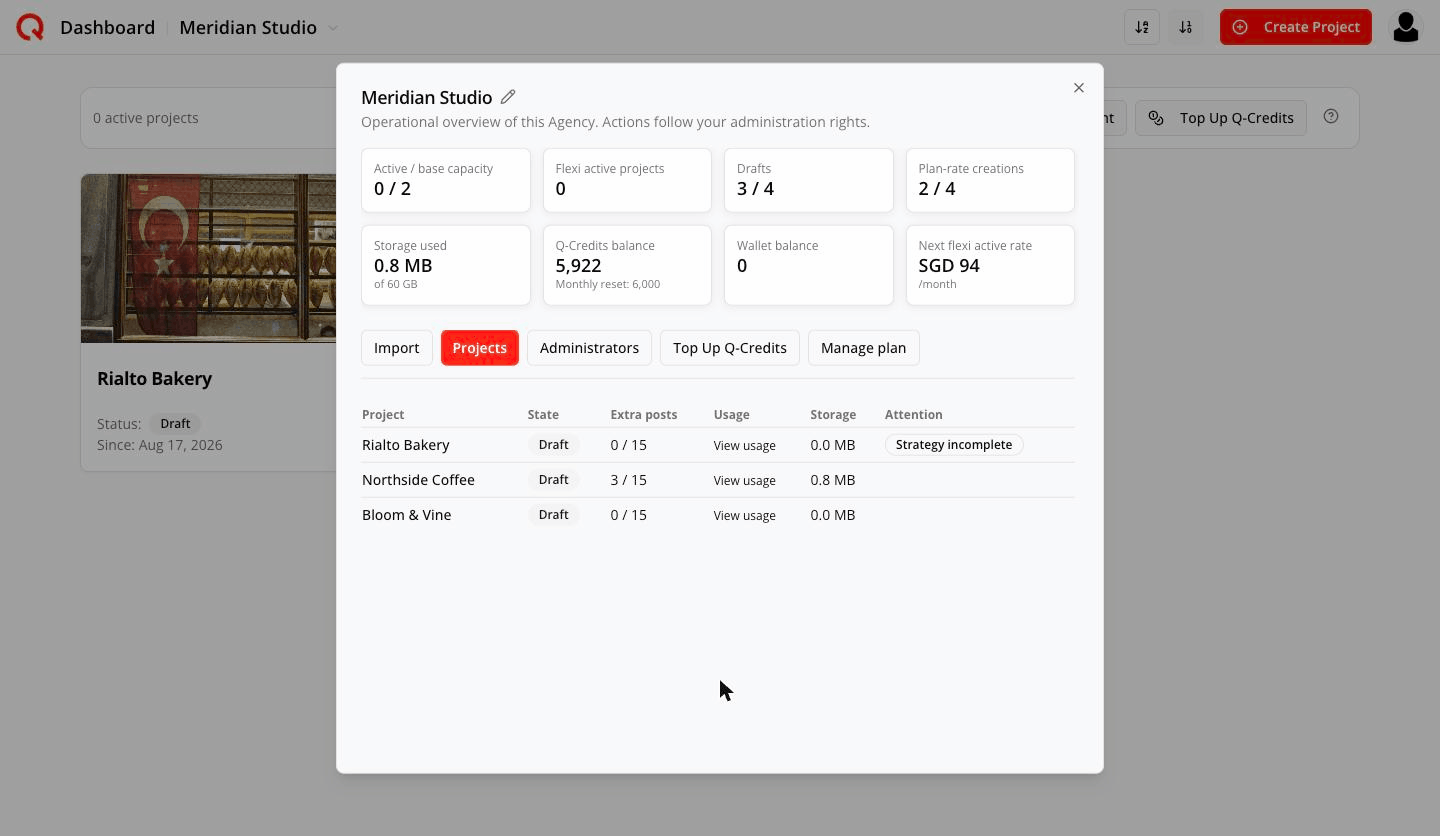
Hover any tile for an explanation. In plain English:
| Tile | What it means |
|---|---|
| Active / base capacity | How many projects are Active, against the number your base plan pays for. Going past this adds flexible capacity, charged monthly. |
| Flexi active projects | Active projects beyond your base plan. Each is billed monthly on top of your plan until you deactivate it — and flexible capacity stops renewing by itself at the monthly boundary once your base plan can cover everything that is Active, so you are never left paying for a flexible slot you no longer need. |
| Drafts | Projects not activated yet. No paid slot used — but capped at twice your paid capacity, and generating a draft's strategy still spends Q-Credits. |
| Plan-rate creations | Draft creations this month at your plan's subsidised rate, which spends fewer Q-Credits per strategy generation. You get twice your paid capacity per month; after those, drafts are created at the standard rate. |
| Storage used | Media across every project in the workspace, against the total your plan includes. |
| Q-Credits balance | Your monthly pool. Every project spends from it first; it refills at the start of each billing month. |
| Wallet balance | Credits you've bought on top of the plan. Used once the monthly pool runs out. |
| Next flexi active rate | What one more flexible Active project would cost per month once every base slot is already taken — not the price of any next project. The first month may be pro-rated. The rate drops the more projects you run. |
Import
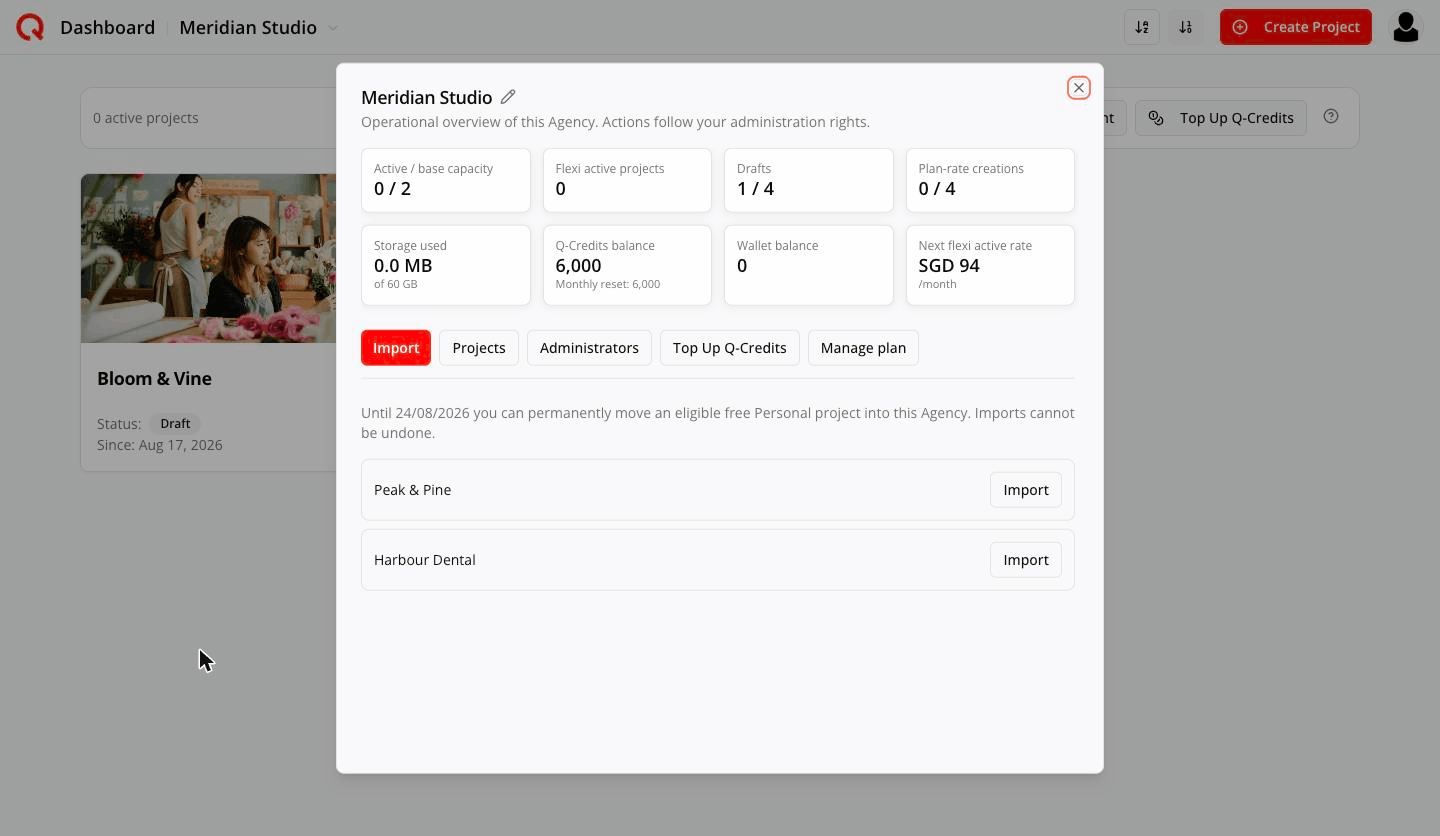
Until 17/08/2026 you can permanently move an eligible free Personal project into this Agency. Imports cannot be undone.
A seven-day window from your first payment, owner-only. Eligible Personal projects are listed with an Import button.
A project qualifies if: you own it · it has a completed strategy · it has never been in an Agency · it's on a free plan (no paid subscription or paid capability) · it isn't deleted · it has at most 3 people sharing it · nothing else is running on it right now.
Imported projects arrive as drafts. A project never leaves an Agency.
After day 7 the tab disappears.
Projects
The operational list: Project · State · Extra posts · Usage · Storage · Attention.
- State — Active or Draft.
- Extra posts — for drafts only, e.g.
11 / 15. - Usage — View usage opens recent Agency-funded activity for that project:
Date Activity Credits 14 Aug 2026, 10:44 Add Posts — john@email.com 39 Empty state:
No Agency-funded activity in this recent window.
This is recent activity, not an accounting archive — it shows the newest records and stops at 1,000. Your Q-Credits balance is the authoritative number.
- Attention — the chips worth acting on: - No platform connected — Active but nothing to publish to - Strategy incomplete — can't be activated yet - Deactivation scheduled — going back to draft at the next boundary
Administrators
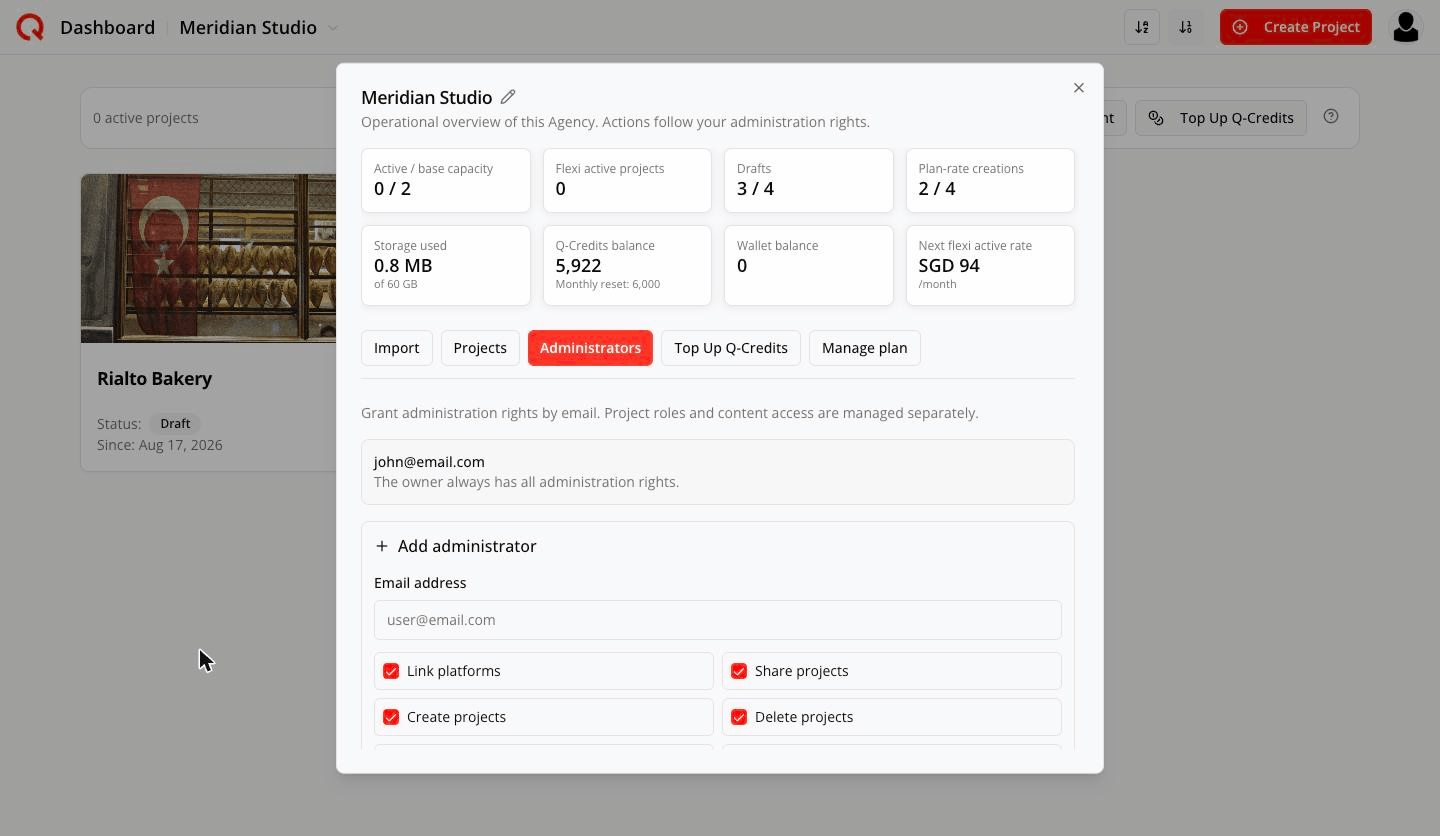
Grant administration rights by email. Project roles and content access are managed separately.
See Administrators and who can do what.
Top Up Q-Credits
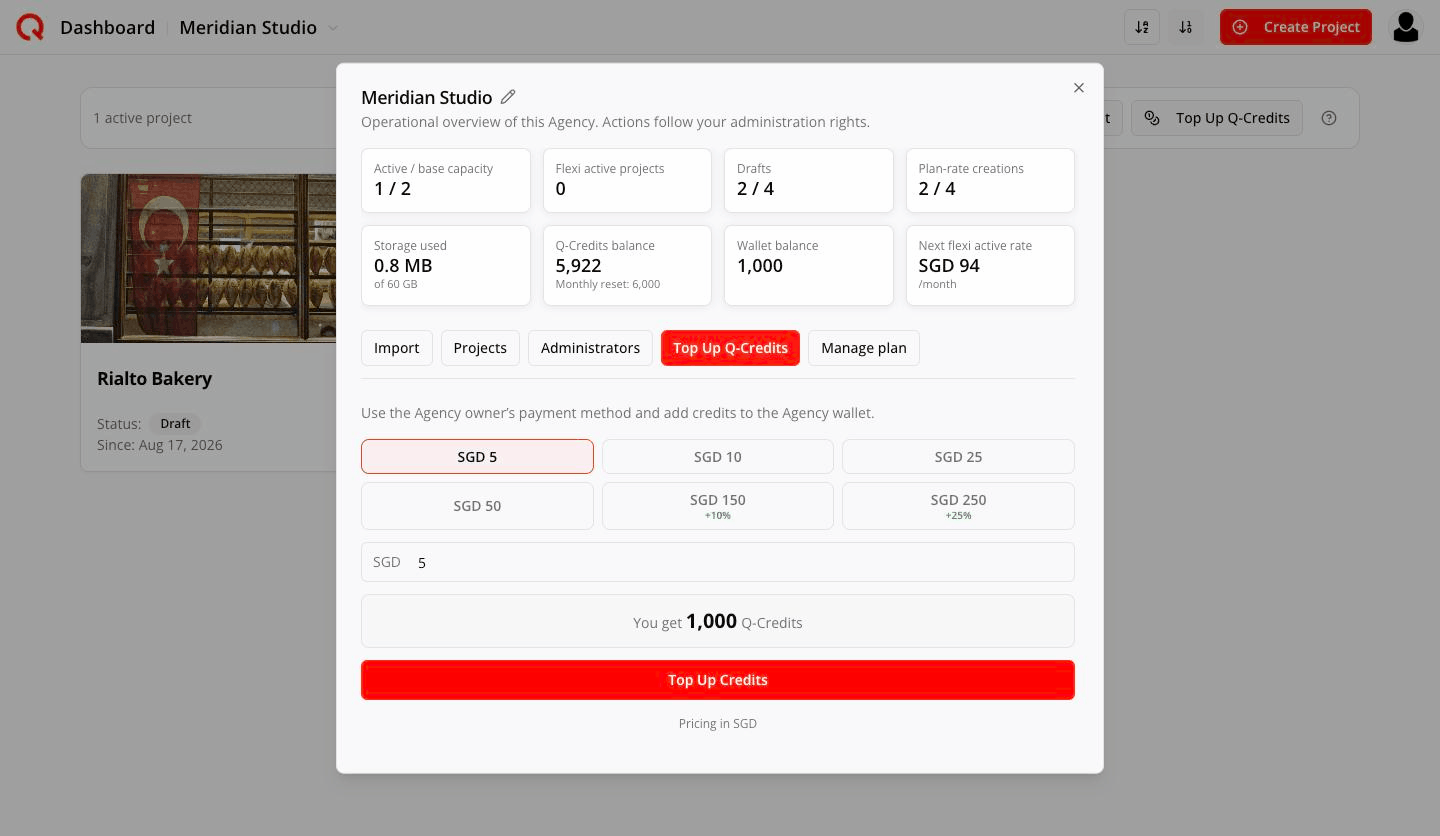
Use the Agency owner’s payment method and add credits to the Agency wallet.
Preset amounts US$5 / 10 / 25 / 50 / 100 (+10%) / 200 (+25%), or type your own. The panel shows exactly what you'll get — You get 1,250 Q-Credits.
Auto top-up underneath buys credits automatically when the balance runs low:
- When below (Q-Credits) — the trigger point
- Top up (US$) — how much to buy each time
- Monthly cap (US$) — a hard ceiling, shown as US$20 of US$100 this month
It charges the owner's saved card, and only takes effect once a card is on file.
Manage plan
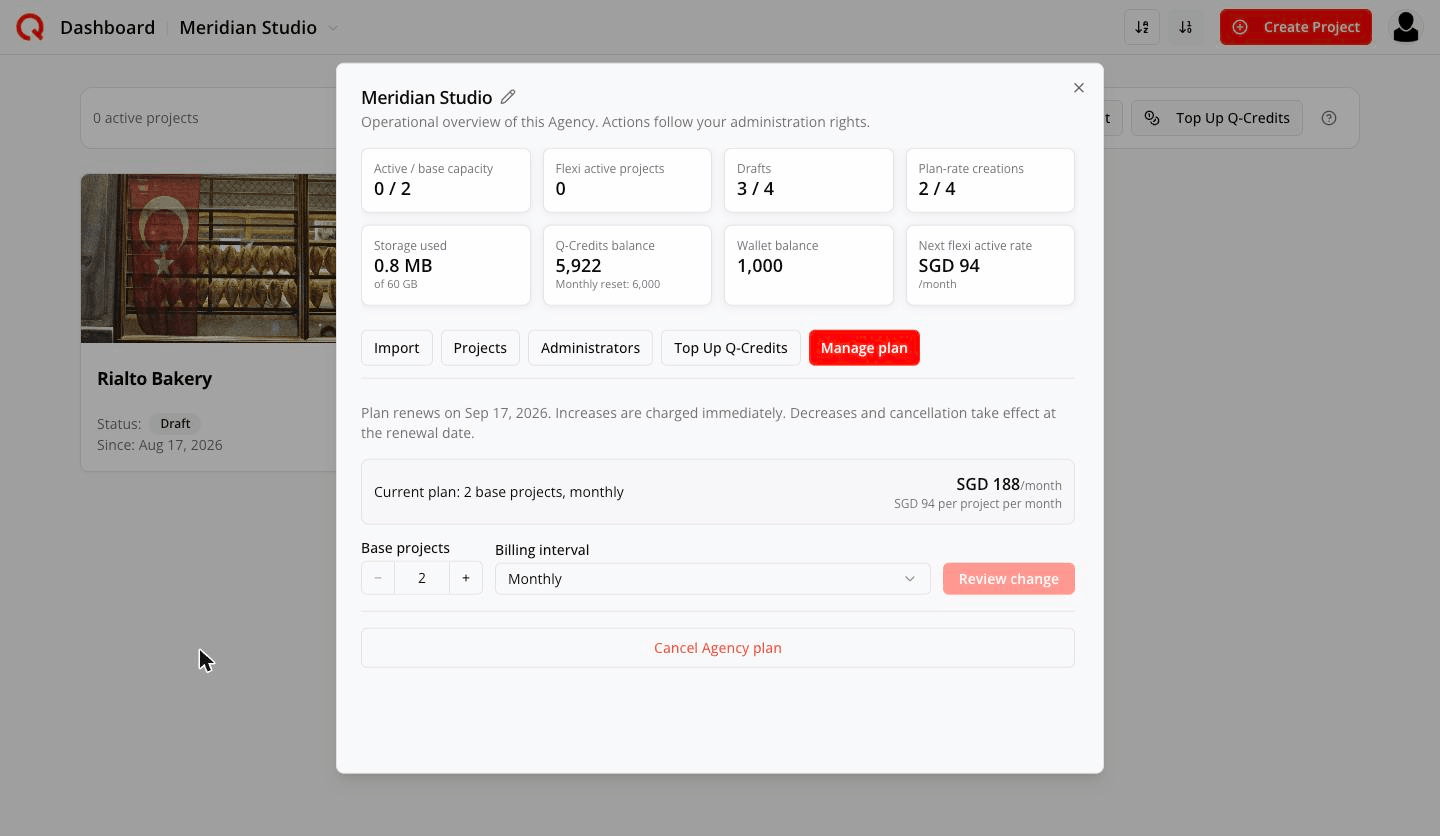
Plan renews on Sep 12, 2026. Increases are charged immediately. Decreases and cancellation take effect at the renewal date.
Shows your current plan, total and per-project price, plus:
- Base projects stepper
- Billing interval — Monthly or Yearly
- Review change → a preview you must confirm
- Cancel Agency plan
See Changing, cancelling and reactivating.
What changes when the subscription ends
Management shrinks to just Projects and Administrators, every tile reads zero, and wind-down actions appear at the bottom: Remove everyone, Move credits to my account, Delete workspace. See that article.
On a phone
The bar collapses into the bottom navigation: the workspace picker, Manage and Top Up. Everything above is available there too.