Draft vs Active: how an Agency project works
A project in an Agency workspace is either a Draft or Active — and the card on your dashboard carries a third label, Pending Deactivation, which is not a third state. A project showing it is still Active in every way that matters; it has simply been scheduled to become a Draft at the next monthly boundary, and you can cancel that any time before it happens.
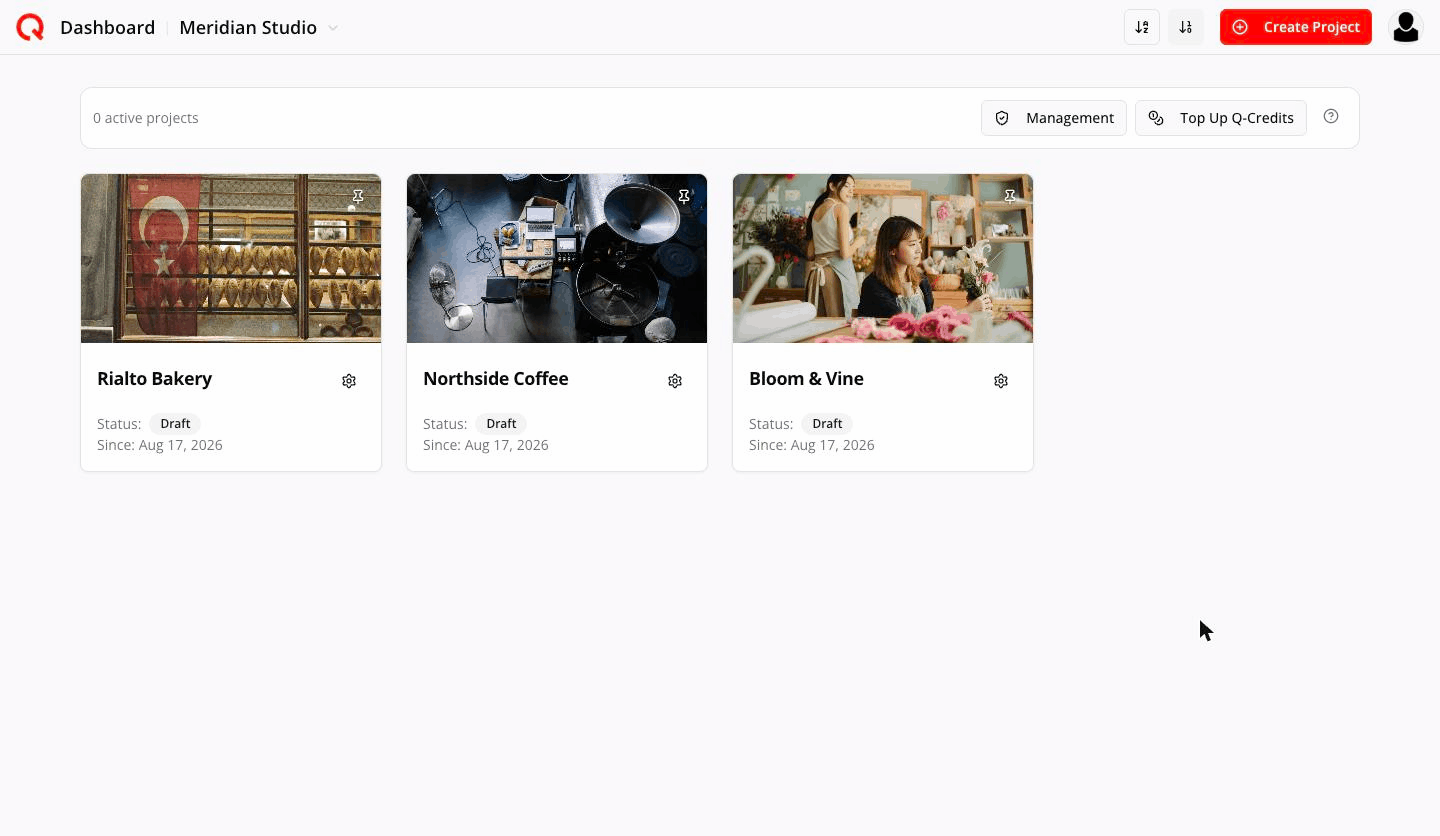
Draft
A draft is a complete, working project that simply isn't published yet. A draft uses no paid project slot — but it is not free of Q-Credits: generating its strategy spends from the shared pool like any other AI work.
You can: build the brand, run the strategy, generate a calendar, write and edit posts, upload media, use Q-Chat, share it with up to 3 people (including you), delete it.
You cannot: connect social accounts, publish, or schedule. The Link Platforms item simply isn't in the sidebar for a draft.
The Preview watermark
Post images in a Draft carry a PREVIEW watermark, so a draft can be shown to a client without handing over publishable artwork. Precisely:
| Image | Watermarked? |
|---|---|
| Generated by the draft's initial strategy | No — clean |
| Generated after that (Add Posts, and any later render) | PREVIEW |
| Edited, or given a different style | PREVIEW |
| Any image once the project is Active | No — clean |
| A project deactivated back to Draft | PREVIEW again |
The watermark is a property of the render, not of the image record — your clean source is kept, and activating the project produces clean artwork again. The word itself is translated into the project's audience language, not your interface language, so a Japanese-audience project reads プレビュー.
Three limits:
- How many drafts you can hold — twice your paid capacity (a 2-project plan holds 4). When you're at the limit:
Draft limit reached — activate or delete a draft before adding another.
- What each draft's strategy costs — two rates apply. Plan-rate is the subsidised rate and spends fewer Q-Credits per strategy generation; standard-rate is the full price. Every Agency gets twice its paid capacity of plan-rate draft creations per month, shown in Management as Plan-rate creations. Beyond that, drafts are created at the standard rate.
- How many extra posts you can generate — 15 per draft after the initial strategy. The first time you use Add Posts you'll see:
Agency draft post limit
This Agency draft allows at most 15 additional posts after its initial strategy. 15 of 15 remain.
☐ Never show this again — [Cancel] [Continue]
Management's Projects tab tracks it in the Extra posts column (e.g.
11 / 15). At zero you get a Post limit reached message that can't be dismissed permanently.
Active projects have no post limit.
Making a project Active
Gear icon → Activate project.
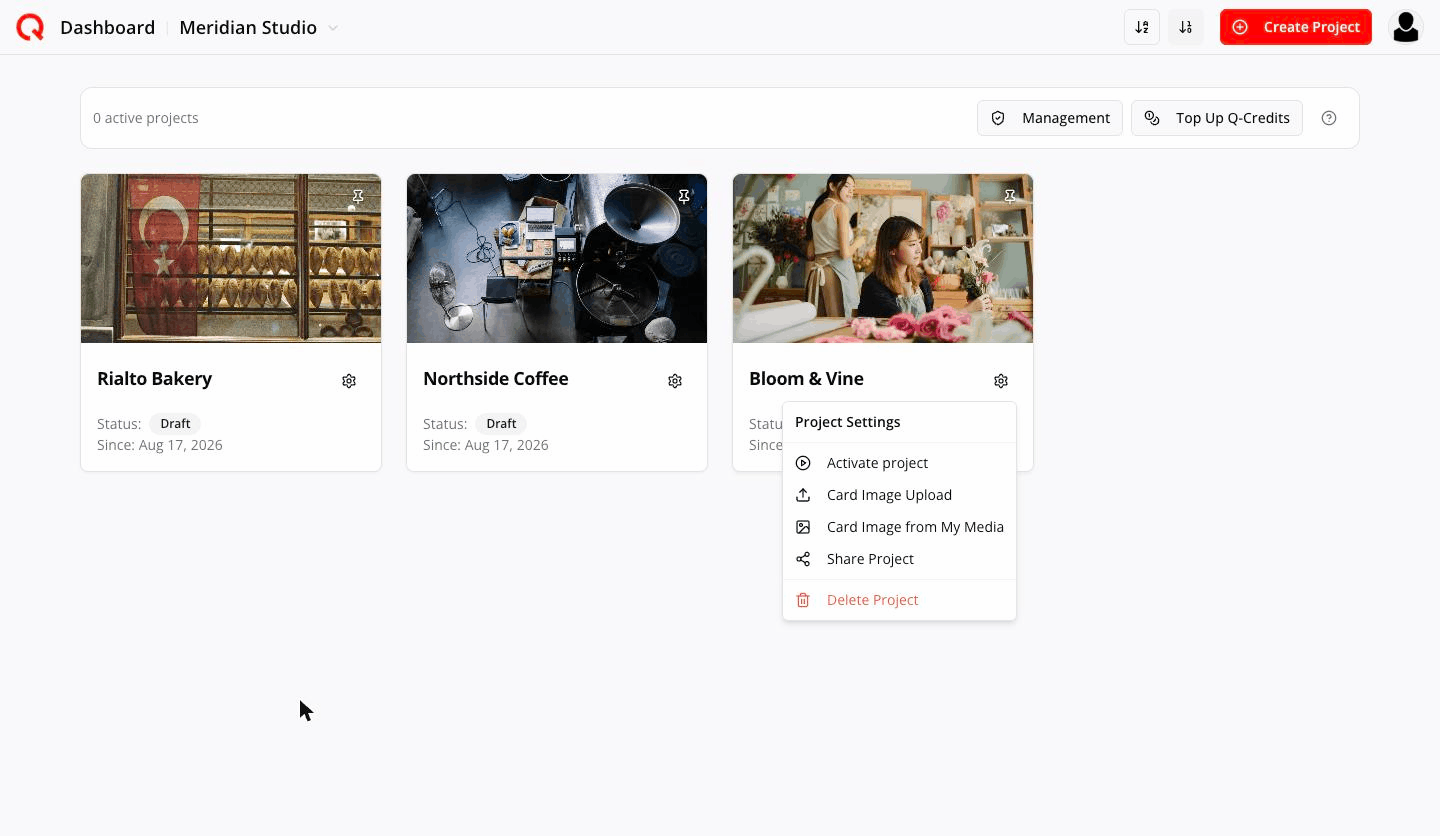
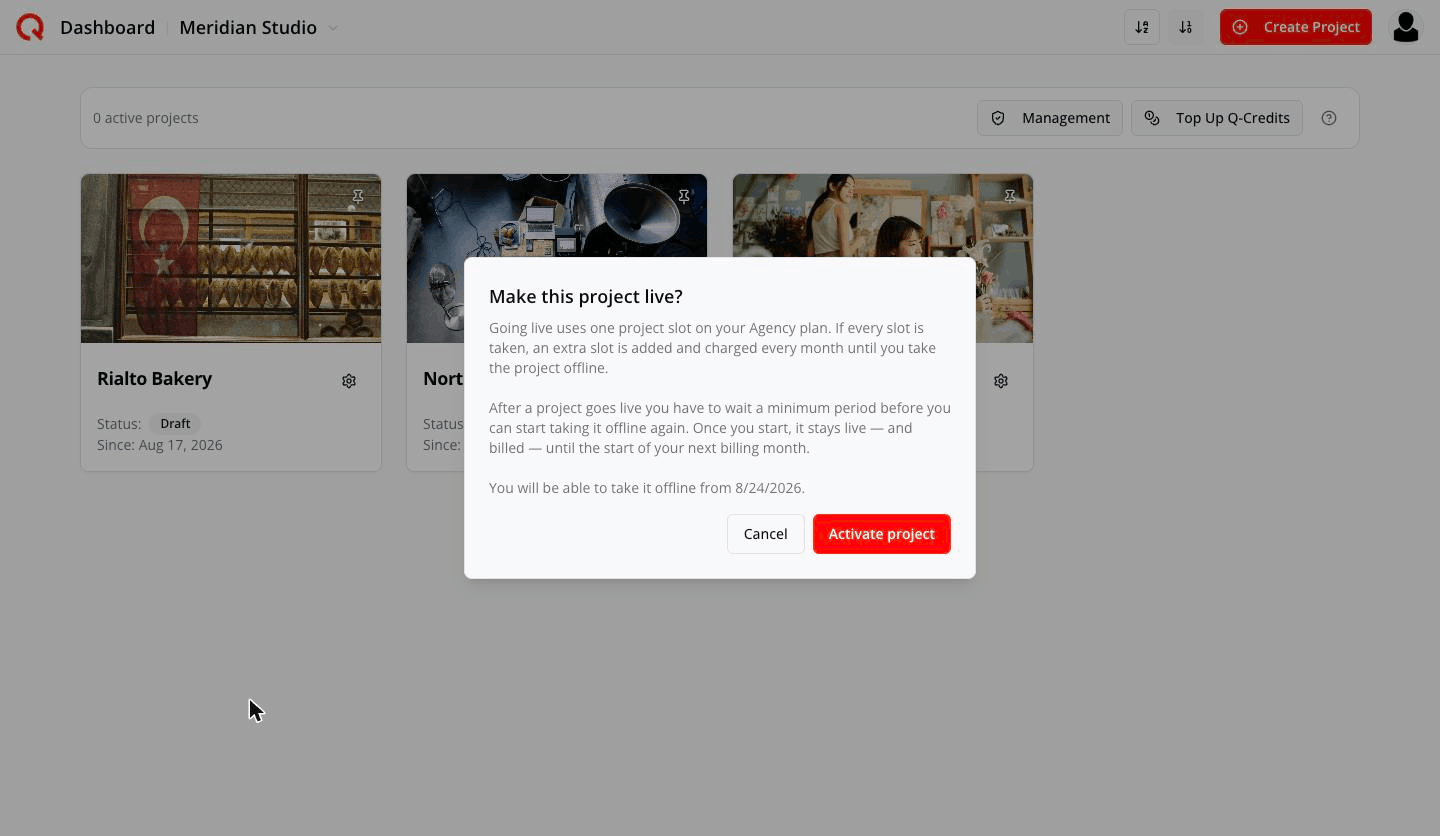
Make this project live?
Going live uses one project slot on your Agency plan. If every slot is taken, an extra slot is added and charged every month until you take the project offline.
After a project goes live you have to wait a minimum period before you can start taking it offline again. Once you start, it stays live — and billed — until the start of your next billing month.
The dialog uses the app's older vocabulary: live is what this guide calls Active, and offline is Draft. So, in the plan's own terms: activating uses one project slot; if every slot is taken an extra one is bought and charged monthly until you deactivate; and once Active, a project must stay Active for a minimum period before you can request deactivation.
Two possible outcomes:
- You have a free slot → one click, instant, no charge.
- You're at capacity → a second dialog quotes the exact charge:
Activating this project requires 1 additional monthly capacity. Estimated immediate charge: $74. Your saved card will be charged now, and the project activates only after payment is confirmed.
A project needs a completed strategy before it can be activated. If the strategy is unfinished, Management flags it under Attention as Strategy incomplete.
Whoever activates a project becomes that project's approver.
Deactivating a project
Gear icon → Deactivate project.
Take this project offline?
The project stays live until the start of your next billing month, then it goes back to being a draft.
When that happens it stops posting to its connected social accounts, scheduled posts will not go out, and it frees its slot on your plan. Your content, media and settings are all kept.
You can undo this at any time before it takes effect.
The waiting period is real. Try it too early and you'll see:
This project must be active for a minimum period before deactivation can be requested.
That minimum is seven full days of continuous Active state.
Once accepted, you get the exact date:
This project will move to draft on 08/09/2026, 10:06:13.
That timestamp is shown in your own device's timezone — not UTC, and not the project's audience timezone — so two people in different countries see the same moment written two ways.
The card badge changes to Pending Deactivation, and the gear menu item becomes Cancel deactivation. In Management the project still shows Active, with Deactivation scheduled under Attention — because it genuinely is still Active and still yours to use until the boundary.
What happens to your bill
The moment you request deactivation, the renewal target drops — the flexible slot that project was using will not renew. But nothing is refunded and nothing is switched off early: you paid for this month, so you keep it.
Undoing before the boundary restores everything with no new charge.
Deleting a project
Only drafts can be deleted (gear → Delete Project). An Active project has no delete option — deactivate it first, wait for the boundary, then delete the draft.
Quick reference
| Action | Draft | Active |
|---|---|---|
| Edit content, media, strategy | ✅ | ✅ |
| Add Posts | ✅ (15 max) | ✅ (unlimited) |
| Link Platforms | ❌ | ✅ |
| Send client link | ❌ | ✅ |
| Publish / schedule | ❌ | ✅ |
| Post images watermarked | PREVIEW (except the initial strategy's) | ❌ clean |
| Share with people | ✅ (3 incl. you) | ✅ (up to your plan's user allowance) |
| Delete | ✅ | ❌ |
| Uses a plan slot | ❌ | ✅ |
Frequently asked
If I deactivate a project, do I lose the work? No. It becomes a draft again. Content, media, strategy and settings are all kept. You'd reconnect its social accounts when you make it Active again.
Why can't I deactivate straight away? Activation buys a month of capacity. The seven-day wait stops a slot being bought and released the same day.
Can I move a project out of an Agency, back to Personal? No. A project never leaves an Agency.